
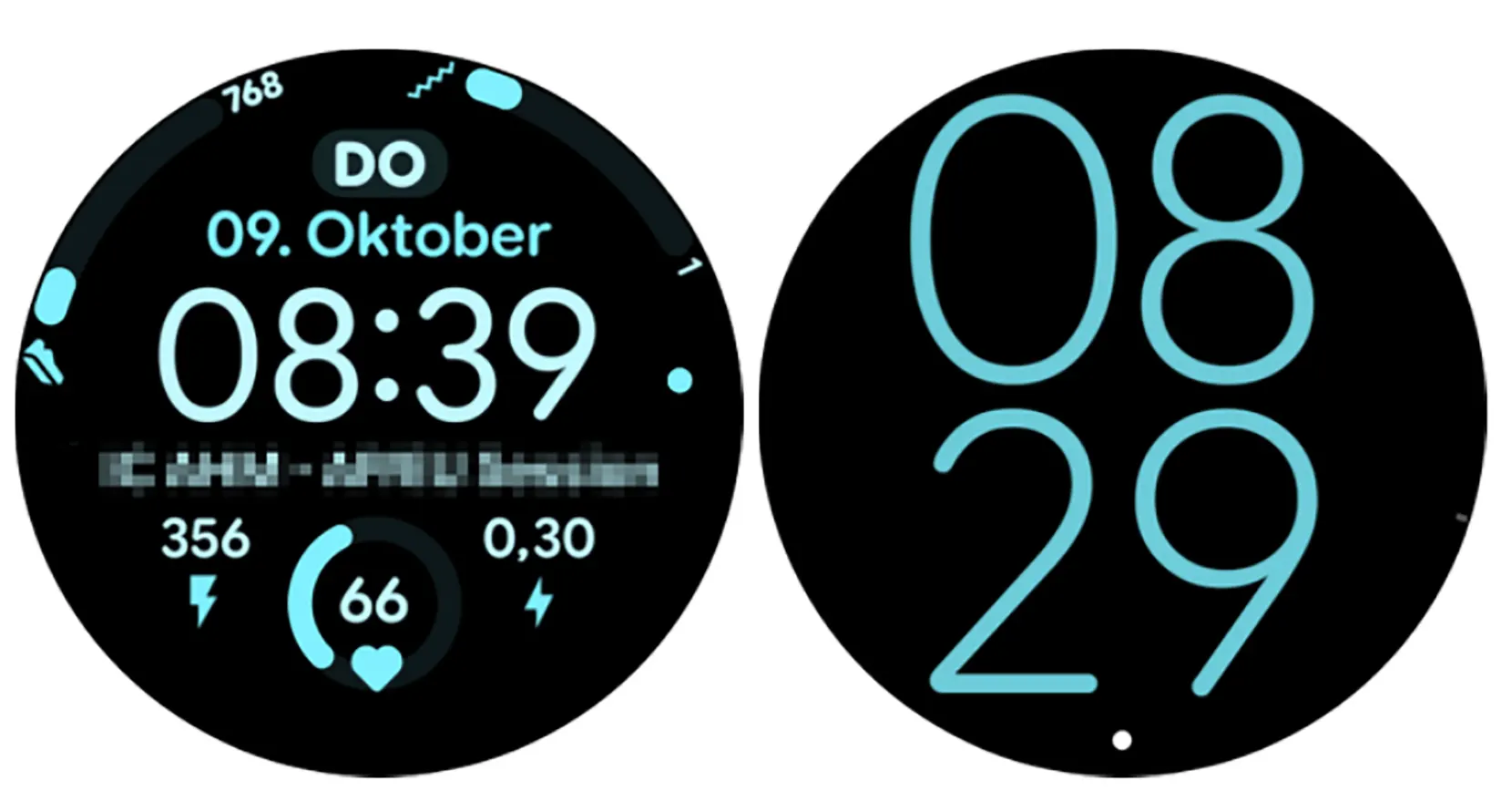
Critical Watch Face Bug Hits One UI 8 Watch: What You Need to Know. Samsung’s latest update, One UI 8 Watch (based on Wear OS 6), was designed to bring sleek visual upgrades and functional enhancements to the Galaxy Watch lineup. However, the rollout has been marred by several bugs. While a general patch is expected around January 12, 2025, a major new issue has surfaced involving the transition from Always-On Display (AOD) to active mode.
The Problem: Ghosting and Frozen Screens
Users across multiple generations—including the Galaxy Watch 8, Watch 7, Watch 6, 5, and 4—are reporting a frustrating visual glitch. When “waking up” the watch from its AOD state, the interface gets stuck halfway through the transition.
Also:
This results in ghosting and visual artifacts, where elements of the dimmed AOD screen remain visible over the bright active UI, making the watch face look cluttered and broken.
Why Is This Happening?
The issue appears to be exclusive to third-party watch faces downloaded from the Play Store; the stock Samsung watch faces remain unaffected.
The Technical Cause:
- Wear OS 6 Opacity Fade: Google’s new OS introduced a “fade” animation for AOD transitions.
- Rendering Hang: If the animation does not complete before the screen suspends to save power, the rendering engine stalls.
- Layer Conflict: This causes the system to display both the AOD layer and the active layer simultaneously.
How to Fix the One UI 8 Watch Bug
Until Google and Samsung release an official system-level patch, there are a few temporary workarounds:
- For Users: Stick to stock (factory-installed) watch faces for now, as these do not trigger the rendering error.
- For Developers: App creators can mitigate this by accessing the watch face XML code and setting the transition duration to zero (
duration="0").
Note: Samsung has reportedly acknowledged the glitch but hinted that since it originates within the Wear OS 6 core, a final fix must come from Google.
